
Conversations
The large panel in the middle of the window is a conversation with your apex agent: the one that coordinates everything else. It is the first thing you see and the thing you will use most.
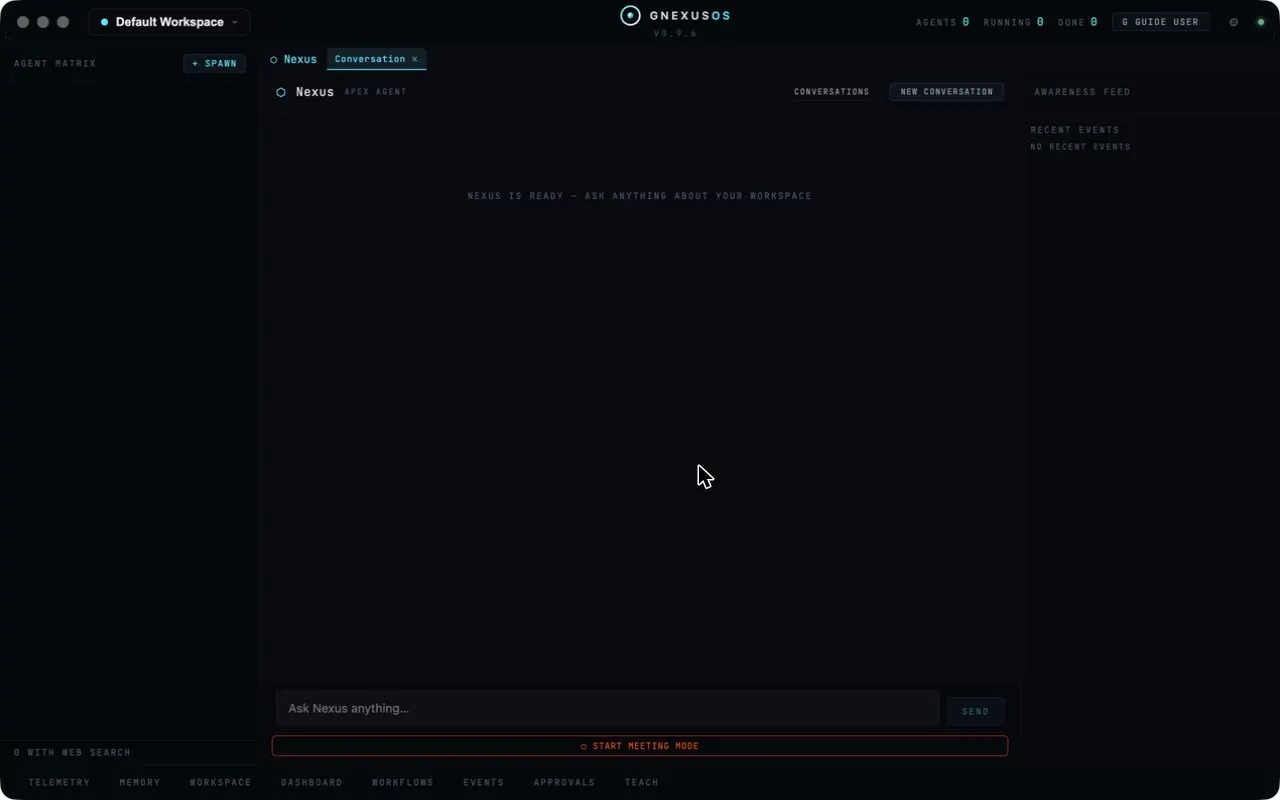
Before you have said anything:
[YOUR APEX AGENT] IS READY — ASK ANYTHING ABOUT YOUR WORKSPACE
(The panel uses your apex agent's own name, whatever you called it during setup. The square brackets are ours, here and below.)
Type into the box at the bottom — Ask [your apex agent] anything… — and choose SEND.
Conversation or task?
These are two different things and it is worth being clear about which you want.
| Conversation | Dispatched task | |
|---|---|---|
| Who answers | Your apex agent | Whichever agent takes the job |
| Good for | Questions, deciding, setting things up | Work with an output |
| Leaves behind | A conversation you can reopen | A task record and usually a file |
| Where | This panel | The dispatch bar, see Dispatching work |
Ask the conversation when you want to think. What is in my workspace? Why did that task fail? Which agent should handle this? Set up an agent for me.
Dispatch a task when you want a thing made. Write the report. Summarise the notes. Produce the clips.
The conversation can also dispatch tasks on your behalf, which is often the easiest route: describe the job in plain words and let it work out which agent and which settings.
Acting on your behalf
When the conversation intends to actually do something rather than tell you about it, it stops and shows you what it is about to do, with a button reading CONFIRM — EXECUTE.
If you decline, the message is unambiguous:
Declined — nothing was executed.
That is the pattern throughout the app: the intention is shown in full before the action, and refusing leaves no trace of a half-done thing.
Whether the agent may operate the app at all is a switch — see Governance and the constitution.
Keeping conversations apart
Above the panel are three controls.
CONVERSATIONS lists the ones you have had, so you can reopen an old thread rather than re-explaining its context.
NEW CONVERSATION starts a fresh one.
Conversations open as tabs, so you can keep more than one going and move between them.
Start a new conversation when the subject changes. A single endless thread makes every answer slower and muddier, because everything earlier is still in view. One conversation per topic is the habit worth forming.
LOAD EARLIER MESSAGES appears at the top of a long thread; older messages are fetched only when you ask, so reopening a big conversation stays quick.
The awareness feed
Down the right-hand side is AWARENESS FEED, headed RECENT EVENTS, and with nothing to show it says No recent events.
This is a short, live view of what has been happening while you were typing — tasks finishing, agents starting, things being added or removed. It saves you switching to the events panel for the ordinary case.
Glance at it. If something ran that you did not expect, this is where you notice first. The full record is in The dashboard and the logs.
Talking instead of typing
If voice is set up, you can speak to the conversation instead. If it is not, the app tells you plainly what to change:
Voice Mode is Off — turn on Conversational mode in Settings to talk to the orb.
See Voice.
Two things on the edges
START MEETING MODE sits under the message box, outlined in red because it turns on the microphone. See Meeting mode.
WITH WEB SEARCH, at the foot of the agent list on the left, counts how many of your agents are allowed to look things up online. If that number is zero and you expected research, the setting is per-agent — see Connections.
Getting better answers
Say what you already know. "The Monday report failed and I think it is the spreadsheet path" gets you further than "why did it fail".
Ask it to check rather than guess. It can read your workspace. "Look at the last three task logs and tell me what they have in common" is a request it can actually fulfil.
Ask for the reasoning when the answer surprises you. It is faster than re-running the work to find out.